2025 Q4 Open Loyalty product update

The end of 2025 brought a focused set of updates designed to deepen member engagement and provide enterprise teams with greater control over global data.
From the gamified excitement of Fortune Wheels to the precision of our new Wallet balance exports and Time zone strategies, this release empowers brands to run more dynamic, scalable, and auditable loyalty programs.
Below are the key updates for Q4 2025.
- Fortune wheels
- Segment based on the loyalty card number
- Daily data consistency count report
- Wallet balance data export
- Time zone localtime strategy
- New time-based campaign limitation
Fortune Wheels
Introducing an element of chance to your loyalty program is a powerful way to boost engagement and daily active users.
Instead of standard fixed rewards, you can now offer members a "spin-to-win" experience.
What’s new
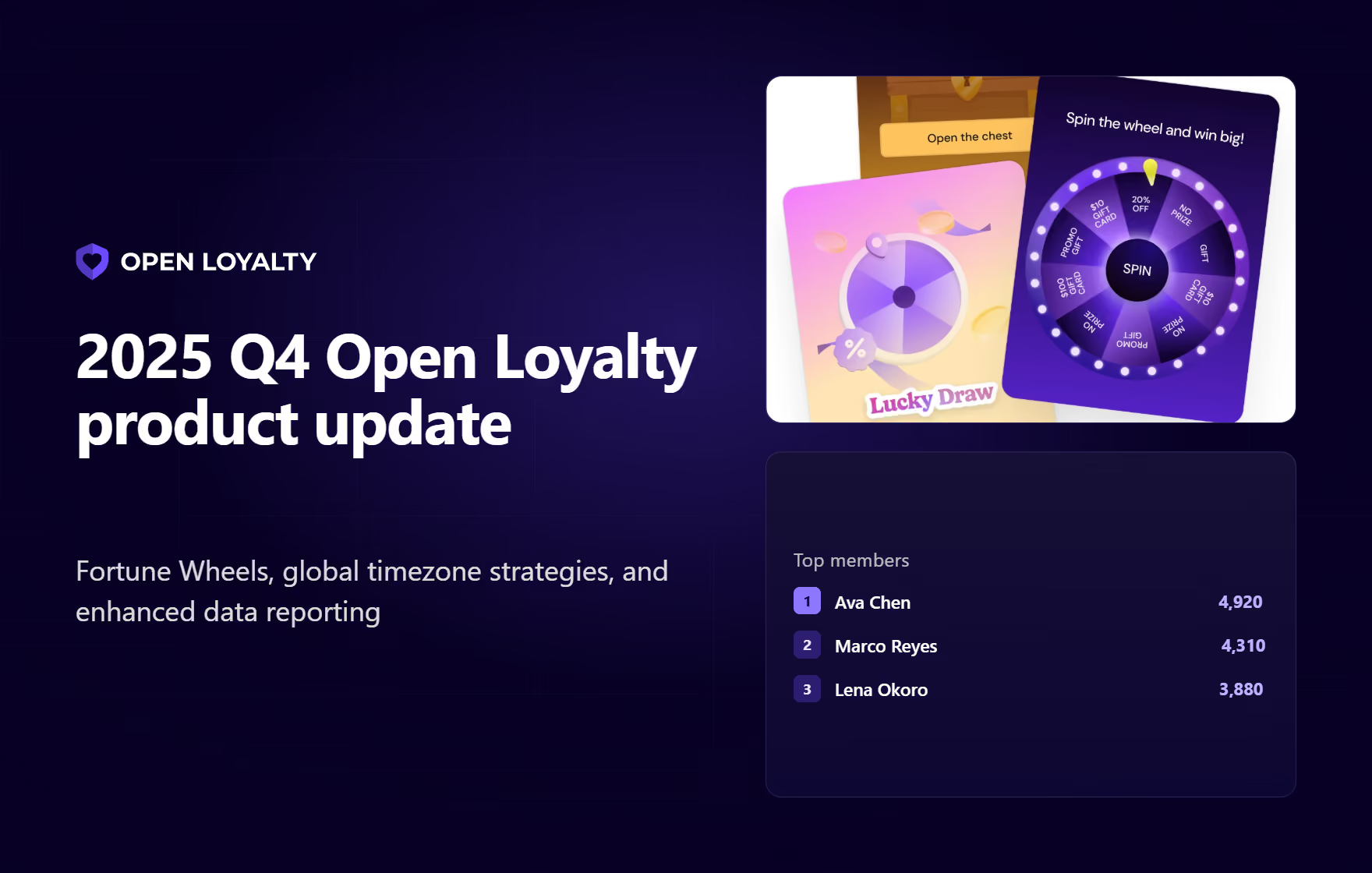
The Fortune Wheels feature allows you to create randomized reward experiences. You can define various prize segments (points, coupons, or "no prize"), set the specific probability for each, and manage stock levels for physical or limited rewards.
Admins can use the same feature to display similar games of chance, such as Treasure Chest, Scratch & Win, Lucky Draw, and more.
Why it matters
Gamification reduces "reward fatigue." By triggering a Fortune Wheel after a purchase or milestone, you create a high-emotion moment that encourages members to return to your application or store to see what they’ve won.
Real-life use case
A QSR brand can configure a "Lunchtime Spin" that triggers only after a member purchases a specific meal deal, offering a 5% chance to win a free dessert and a 95% chance to win bonus points, driving repeat visits during specific day-parts.
Documentation
Segment based on the loyalty card number
Administrators can create user segments in the admin panels module or source them from external 3rd-party systems via an API.
Users are added to segments automatically after meeting the requirement – now including specific loyalty card number patterns or ranges.
What’s new
We have expanded the segmentation conditions to include the loyalty card number as a primary identifier.
Why it matters
Segmenting by loyalty card number is especially useful for precise grouping of members who may have been migrated from legacy systems or possess specific card tiers (e.g., VIP physical cards) that do not map directly to other attributes.
The grouping automates the personalization of offers and marketing communications for these specific cardholders.
Real-life use case
A retail chain migrating from a legacy provider can create a segment for "Legacy Gold Cardholders" based on a specific card-number prefix (e.g., 999), automatically granting them special retention offers without manual tagging.
Documentation
Daily data consistency report
For enterprise clients integrating Open Loyalty data into internal Business Intelligence (BI) systems, data integrity is paramount.
We have introduced a mechanism to ensure complete alignment between the Open Loyalty database and your analytical files.
What’s new
A daily control report that compares record counts in your external database (built from S3 analytical files) with the actual counts in the Open Loyalty base.
The report includes counters for key entities such as achievementTotalCount, campaignTotalCount (excluding deleted), customEventTotalCount, and more.
Why it matters
The consistency report automates quality assurance for data teams.
Instead of performing manual spot checks, BI engineers receive daily verification that their local data lake is perfectly synchronized with the loyalty engine, ensuring that all reporting and forecasting are based on complete, accurate data.
Documentation
System Logsata Export Overview| Open Loyalty
Wallet balance data export
We’ve added a dedicated Wallet Balance data export to the standard technical reporting suite.
While previous export focused on individual point movements, this new daily snapshot captures the total state of all member wallets at a single point in time.
What’s new
You can now access daily CSV files containing active, pending, expired, and spent balances for every member. This data is automatically pushed to your integrated cloud storage (S3, GCP, or Azure).
Why it matters
This simplifies financial reporting and liability tracking digital wallets. Instead of manually calculating current balances from historical transaction logs, your BI tools can now ingest a single "frozen" snapshot to provide instant accuracy for accounting and auditing.
Real-life use case
A fintech company needs to report the exact monetary value of outstanding liability points at the end of every month. Using this export, they can instantly query the "active balance" column for all users on the last day of the month, significantly reducing the computational load on their data warehouse.
Documentation
Member Wallet Balance | Open Loyalty
New time zone strategy feature
Open Loyalty now supports two time zone strategies that define how campaign availability, limits, and reward redemptions are calculated across different time zones.
This setting is configured at the tenant level and applies globally to campaigns, rewards, transactions, and custom events.
What’s new
The two time zone modes are:
- Default Strategy: Uses the tenant’s time zone for all calculations (startsAt, endsAt, daily limits). Best for single-time zone programs or for those requiring consistent business-time reporting.
- Local Time Strategy: Uses the event’s local datetime without time zone conversion. Designed for programs with members distributed across multiple time zones who perform actions based on their local day (e.g., "one workout per day").
Why it matters
Global programs often struggle with "fairness" in daily limits (e.g., a user in Tokyo shouldn't be limited by New York time).
The Local Time strategy ensures that a "daily limit" resets according to the member's actual context, while the Default strategy preserves strict financial reporting windows for single-market programs.
Documentation
New time-based reward redemption limitation
Reward redemption limits are now more flexible and aligned with other modules, offering greater control over campaign budgets and stock.
What’s new
In addition to "total" and "unlimited" settings, you can now set granular time-based limits (hourly, daily, weekly, monthly, yearly) for both global reward availability and per-member redemptions.
Why it matters
The time-based limitation helps prevent fraud and manages inventory for high-value rewards. It also allows you to run "scarcity" campaigns (e.g., "Only 100 rewards available per hour") or ensure fair usage (e.g., "Max 1 redemption per member per week") without complex custom rules.
Real-life use case
A professional football club launches a "Match Day" campaign offering signed jerseys. To prevent one fan from claiming all stock, they set a "1 per member" limit. To ensure excitement throughout the day, they set a global limit of "10 jerseys per hour" leading up to kickoff.
Documentation

API-first loyalty and gamification engine