2026 Q1 Open Loyalty product update

The first quarter of 2026 had a clear double-mandate at Open Loyalty: give program administrators a sharper engagement toolkit, and give enterprise operators stronger controls over how the platform scales. This release ships both, side by side.
Q1 highlights include:
- Challenges – the unified successor to Achievements and Campaigns
- Badges module – a dedicated, reusable recognition layer
- Give badges as effects – awarding badges directly from any rule or campaign
- Loyalty card auto-generator – faster enrollment at scale
- Rewards targeting multiple tier sets – sharper segmentation for multi-brand programs
- External redemption codes import for campaigns – ingest any third-party code inventory
- Status page launch – real-time transparency on platform health
Together, these updates help brands move faster on new engagement mechanics while giving platform teams the governance and visibility they need to run Open Loyalty at scale.
Challenges
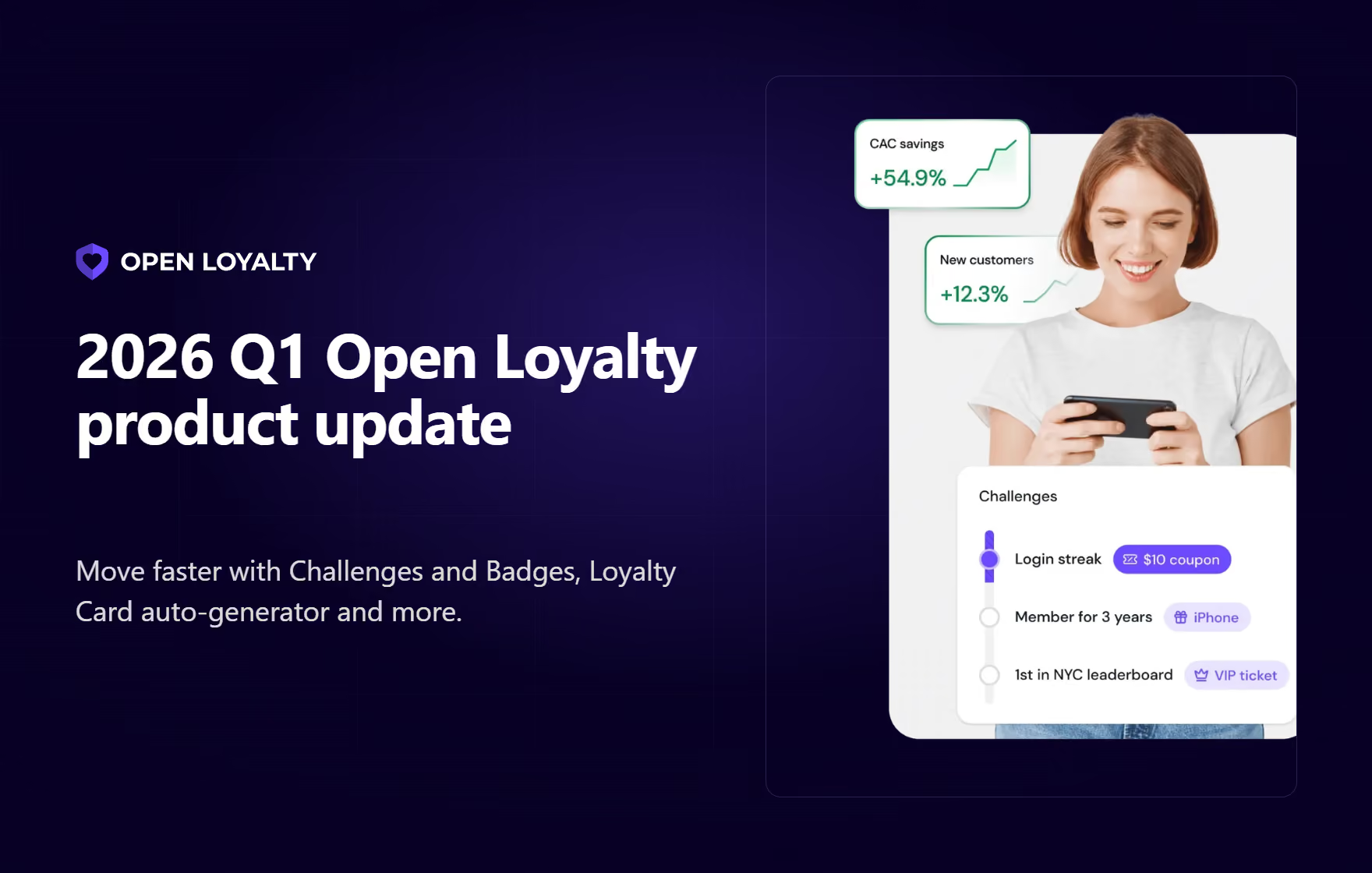
Q1's headline shipment. Challenges consolidates the previously separate Achievements and Campaigns workflows into a single, unified creation flow, with rewards configured inline rather than on a separate screen.
What's new
Challenges superseded Achievements. Challenges in Open Loyalty let you define goals that members work toward by completing specific actions – such as completing purchases, logging custom events, or referring friends. Each challenge is built from milestones (individual tasks a member must complete) and rules & effects (the rewards or actions triggered when progress is made or the challenge is finished).
A summary view at the end of the wizard surfaces the full configuration before the challenge goes live, so misconfigurations are caught before they hit production rather than after.
Why it matters
Fragmented workflows create two kinds of waste:
The upgrade from Achievements to Challenges means administrators spend less switching between screens, and less chance of rework caused by forgetting to link components across different screens.
The practical outcome is that marketing teams can spend more of their time on strategy and creative design, and less on platform mechanics.
Real-life use case
A retail brand launches a multi-tier holiday challenge.
Instead of configuring achievements, campaigns, and rewards in three separate places and manually linking them, the marketing manager walks through a single wizard – defining the goal, the milestones, the rules, and the reward effects in one place. A summary view confirms the full configuration is wired correctly before launch.
Documentation
Badges module
Q1 introduced Badges as a first-class citizen of the Open Loyalty platform. Until this quarter, badge-like recognition was typically a by-product of other modules. With the Badges Module, brands now have a dedicated layer for non-monetary recognition – independent from points, tiers, and challenges.
What's new
Badges can now be defined, managed, and assigned as standalone objects, with multi-language support so the same badge can surface correctly across markets.
Each badge carries its own identifier for programmatic assignment, and can be activated or retired without side-effects on other modules. Badge definitions are available through the admin panel, and the data model is designed to be referenced from Challenges, Campaigns, and member-facing surfaces.
Why it matters
Badges are one of the highest-leverage engagement tools available to a loyalty program – inexpensive to award, emotionally valuable to members, and naturally suited to segmentation. By giving badges their own module, Open Loyalty makes them reusable and composable.
A badge can now be awarded from multiple triggers, referenced in audience rules, and retired or replaced centrally rather than updated in multiple places.
Real-life use case
A fitness brand defines a "100 Check-ins" badge in the Badges Module, assigns it across its engagement programs, and later uses members who hold that badge as the audience for a high-value campaign – all without creating parallel, module-specific copies of the same recognition.
Documentation
Give badges as effects
With the Badges Module providing the definition layer, the next step was making badges operationally easy to award. In Q1, "Give Badge" was added to the platform's Effects library, which means badges can now be handed out from any trigger that supports Effects – whether that's a Challenge milestone, a Campaign rule, or an event-driven automation.
What's new
Awarding a badge is now a configuration step inside the Effect editor, alongside other Effect types such as giving points, vouchers, or tier changes.
Badges can be combined with other Effects in the same rule – for example, awarding points and a badge simultaneously – and the standard Effect-level conditions apply, so admins can scope badge awards to specific member segments, tiers, or contexts.
Why it matters
Defining badges is only useful if they can be awarded automatically at scale. Without "Give Badge" as an Effect, administrators would be stuck assigning badges manually or building custom integrations. Making it a native Effect closes the loop: badges become fully event-driven, and the same set of conditions available to other Effects can be applied to badge awards.
Real-life use case
A QSR brand configures a Challenge where reaching the "Breakfast Streak" milestone fires two inline Effects: award points, and award a "Morning Champion" badge. The same rule structure is reused across other challenges without duplicating configuration.
Documentation
Adding the badge effect | Open Loyalty
Loyalty card auto-generator
For programs that rely on loyalty card numbers – such as retail, hospitality, travel – assigning unique cards at enrollment used to be an operational chore, often handled by bespoke integrations or batch scripts. Q1 replaced that with a native auto-generator.
What's new
Loyalty card numbers can now be generated automatically when a member is created. The generator is configurable, so brands with existing numbering conventions can preserve them, and it enforces uniqueness so duplicates don't slip through during high-volume sign-ups. It works with direct sign-ups, SSO provisioning flows, and bulk imports.
Why it matters
Removing a manual step from the enrollment path has two effects: enrollment gets faster, and the platform absorbs one more integration dependency that clients previously had to build themselves. For teams migrating from legacy card-based programs, the auto-generator shortens the cutover because card issuance no longer depends on an external batch process.
Real-life use case
A supermarket chain migrating its membership base onto Open Loyalty uses the auto-generator during bulk import to assign fresh loyalty card numbers to every member, without a separate card-issuance pipeline.
Documentation
Loyalty card configuration | Open Loyalty
Rewards targeting multiple tier sets
This January enhancement was designed for brands running more than one tier program in parallel – typically large enterprises with multiple banners, multiple regions, or multiple membership types on the same Open Loyalty instance.
What's new
Rewards Targeting Selection can now surface tiers from any Targeted Tierset in the system, not only the default tierset. An administrator configuring a reward can target a tier that lives inside a specific, scoped tierset – rather than falling back to the workaround of creating a duplicate reward for each tierset. The change applies both to standalone Rewards and to Rewards referenced inside Campaigns.
Why it matters
For multi-brand and multi-region programs, the previous behavior forced teams to either keep parallel reward catalogs in sync by hand or collapse their tier structure down to one shared tierset. Neither is ideal at enterprise scale. This update lets teams keep their tiersets properly segmented and still maintain a single, well-governed reward catalog.
Real-life use case
A multi-brand retailer running a separate tierset for each banner offers a shared "Gold members free shipping" reward. With the updated Rewards Targeting Selection, that reward can correctly target the "Gold" tier inside each banner's tierset – no duplicate rewards required.
Documentation
Rewards targeting | Open Loyalty
External redemption codes import for campaigns
Brands that run on-pack promotions, scratch-and-wins, or third-party voucher partnerships often need to ingest a batch of codes that were generated outside Open Loyalty – by a printing partner, a gift-card aggregator, or a promotional agency. Q1 added native support for that pattern.
What's new
A Campaign's redemption pool can now be populated with externally generated codes through a bulk import. Each imported code follows the same single-use rules as internally generated codes. The import pipeline supports standard file formats so integration with code-generation partners is straightforward.
Why it matters
Before this update, redemption patterns involving pre-printed or partner-issued codes required custom engineering – both to load the codes and to reconcile redemptions.
Moving that support into the Campaigns product means brands can launch promotions that depend on external code inventories as a configuration task rather than a development project.
Real-life use case
A beverage brand runs an on-pack promotion where each package carries a unique code printed by the packaging partner.
Those codes are imported into a Campaign in a single operation, redeemed through the member app, and automatically expire at campaign end.
Documentation
External redemption codes import | Open Loyalty
Q1 also shipped an update that isn't a product feature in the usual sense but is, for enterprise buyers, one of the most-requested pieces of platform infrastructure: a public status page.
Open Loyalty status page
What's new
The Open Loyalty status page is live at https://status.openloyalty.io/ and shows the health of Open Loyalty instances on an always-on basis.
Clients who need a dedicated status page for their own instance can request one, and that dedicated page can then be referenced from the client's own internal dashboards or incident tooling. Monitoring is health-check-based, and the infrastructure is designed to be extended over time.
Why it matters
Enterprise clients increasingly require real-time, third-party-verifiable uptime signals from their vendors – not only as part of initial procurement, but as an ongoing operational input. The status page provides that baseline for every client, and the dedicated per-client option gives the largest customers a surface they can integrate directly into their own incident flows.
Real-life use case
A global brand's platform team wires the dedicated Open Loyalty status page into the same internal dashboard that surfaces its payment provider and CDN status, giving its on-call team a single view of every dependency.

API-first loyalty and gamification engine