A receipt scanning loyalty program lets brands reward purchases made in stores they don’t control, with no retailer integration. Read how the process works, which mechanics get customers to scan, how fake receipt detection works, and what to decide before launch.
A consumer packaged goods (CPG) brand sells through supermarkets, drugstores, and marketplaces it does not control. The retailer sees the basket, the loyalty card, and the repeat visit, while the brand gets a sell-in figure and, weeks later, a distributor report with no names in it.
Receipt scanning gives a CPG loyalty program a way into that transaction. A customer photographs a receipt from any store, the program reads and checks it, and points land for the eligible products on it. You don't need a point of sale (POS) integration with any retailer.
The photo is the easy part. The work sits in reading messy line items, deciding which receipts to trust, and rewarding fast enough that customers scan the next one.
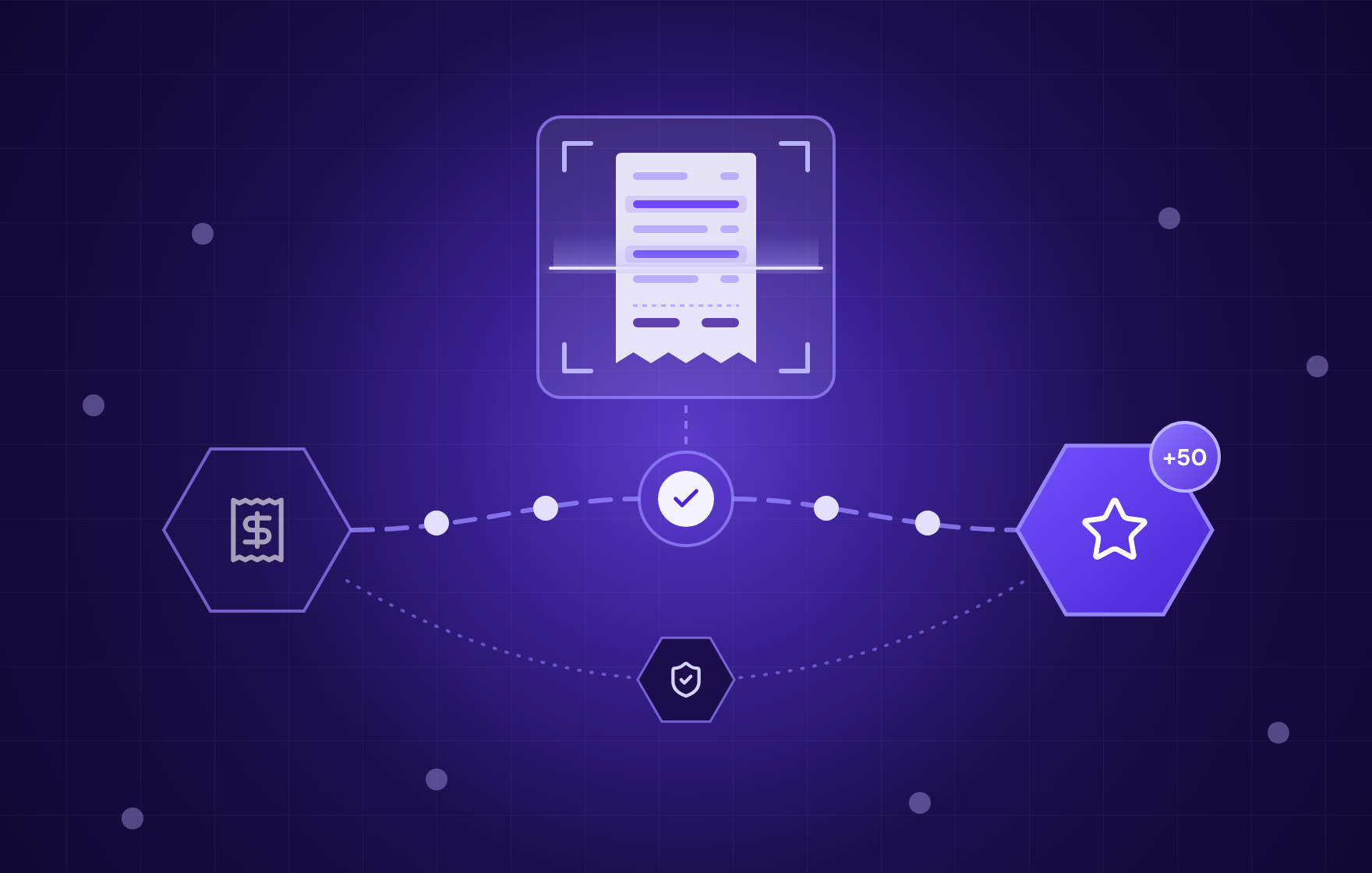
Every receipt goes through the same five steps between the customer's camera and the points balance.
Matching is where most of the operational effort sits. A program that reads totals correctly but can't tell your yogurt from a competitor's on the same receipt will reward the wrong purchases or send everything to manual review.
Steve, Open Loyalty's AI receipt verification, splits this into two layers. An evidence layer decides whether a receipt is real, whether it qualifies, and what it says, while a reward layer decides what the member earns for it. All five steps above sit in the evidence layer, which Steve covers in depth in ts article on the two layers of receipt programs. A loyalty team owns the second one: which mechanics to run, what each verified receipt is worth, and who reviews what.
Receipt scanning pays off when your product is sold through channels you don't own and the purchase is frequent enough to build a habit around.
Scanning a receipt takes more effort than tapping a card at checkout. The reward has to cover that effort, and it has to show up while the customer still has the app open.
A verified receipt earns points for each eligible product on it, counted either by spend (points per $1) or by unit (points per pack). Unit-based earning gives the same reward whatever the store charges, while spend-based earning favors larger baskets.
Per-product rules get hard to maintain as the range grows. Open Loyalty's Product Catalog handles this with one campaign scoped by SKU, category, brand, or attribute, with different multipliers per tier and a bundle mode for product sets.
Challenges point scanning at a goal: "Buy three different flavors in 30 days" drives trial of new variants, and "Scan a receipt four weeks in a row" builds a weekly habit. Set a deadline on each one, so the member knows when the chance to complete it ends.
For low-margin products, a fixed cashback per pack can cost more than the purchase is worth to you. A spin, scratch card, or prize draw entry per verified receipt keeps the cost per scan predictable and still gives the customer a moment to look forward to. Instant wins tend to work best, as long as the receipt is decided on the spot. If it waits in a review queue, the instant win shows up days later.
Annual verified spend can move members into higher tiers with better earning rates. This works best for brands with a wide range, where one customer buys several products across the year.
Speed matters across all four mechanics. If every receipt waits for a person to check it, points arrive days later, and a customer who scans on Saturday and sees points on Tuesday has little reason to scan the next receipt.
Any program that turns a photo into points will attract people who fake the photo. Image generators have made that cheaper. Expense-audit data from AppZen, reported by Forbes, shows AI-generated images grew from 0% of the fake receipts it flagged in March 2025 to 70.8% by mid-May 2026. The AI-generated fakes averaged $101 with a median of about $32, while older template-based fakes averaged about $182.
That data comes from corporate expense claims, but the pattern carries over to loyalty: many small claims, sized to pass automatic approval. A program that checks only whether a receipt "looks right" will approve them, and Steve explains how these fakes are made and caught.
Receipt validation works best in layers, where each control catches what the others miss:
Set the auto-approval threshold per campaign. A $2 instant-win entry can tolerate more risk than a receipt that unlocks a $50 reward, so the second one should go to review more often.
A receipt lists the whole basket, the store, the time of purchase, and sometimes part of a card number or the retailer's own loyalty ID. Your brand asked for one line of it.
Under the GDPR, personal data has to be "adequate, relevant and limited to what is necessary" for the stated purpose (Article 5(1)(c)). Before launch, decide with your data protection officer:
Keeping the full basket can feed useful analysis, such as which products customers buy alongside yours. That use needs to be written into the program terms before the first receipt arrives.
Settle these before the first campaign goes live:
Start the pilot small: one country, two product families, and three to five retailers. Collect real receipts, including faded, folded, and discounted ones, and agree on the right result for each before anything runs. Review and rejection reasons per retailer will then show where matching rules need work.
Open Loyalty covers the full path from receipt to reward. The white-label mobile app framework includes receipt and QR scanning, and scan-and-earn campaigns reward members for receipts that list your products, with no POS integration needed.
Steve handles the evidence layer, and Open Loyalty handles the reward layer. Steve extracts the fields you define from a receipt or invoice, scores each one for confidence, checks image metadata and visual duplicates, and tests whether the line items add up to the total. Clear receipts go through right away, doubtful ones reach a reviewer with Steve's reasoning attached, and unreadable photos go back to the member with a request to retake them.
Each approved receipt lands in Open Loyalty as a transaction with its line items, exactly once, even if a delivery is retried. A purchase from someone who hasn't joined yet waits until they sign up, so a first-time scanner keeps their reward. From there, any campaign can use it: points per SKU through Product Catalog, challenges, games of chance, or tier progress. Steve can also send results to other systems through its API, so the Open Loyalty integration is a shortcut, not a requirement.
Take a beverage brand running a May promotion that awards 50 points for every receipt with two or more of its drinks. A member uploads a supermarket receipt, and Steve returns structured fields:
With the threshold at 0.85, the receipt is approved without anyone opening it. Steve sends the purchase to Open Loyalty as a transaction with these fields, and the May campaign awards the 50 points. With the threshold at 0.90, the same receipt goes to the review queue, where a reviewer sees the image next to the extracted fields and Steve's reasoning before approving it.
If the member uploads a cropped, re-shot photo of the same receipt the next day, perceptual hashing matches it to the first submission. The flag carries the original submission ID, so the reviewer sees both receipts side by side.
The same flow works for photos that aren't store receipts. This evidence lands in Open Loyalty as a custom event, which matters if your program rewards more than purchases:
No. The customer submits the receipt, and the program validates it against your rules. Retailer integration is only needed if you also want automatic earning at the checkout.
Yes. Both feed the same member profile and points balance, so a customer can earn in your own stores through the POS and in partner stores through receipts.
The member should see the reason, such as a purchase date outside the campaign window or a receipt already submitted. If the photo is unreadable, ask for a retake on the spot. A clear reason cuts support tickets and teaches members which receipts qualify.

API-first loyalty and gamification engine

Get a weekly dose of actionable tips on how to build and grow gamified successful loyalty programs!


.avif)